The whole site, at a glance.
See how pages connect, so the structure makes sense before the work begins.
Turn a website into a visual map you can explore.
Understand the structure. Find the gaps. Plan what’s next.
Built for designers, agencies, and people who work on websites.
Less clicking around. More seeing the big picture.
See how pages connect, so the structure makes sense before the work begins.
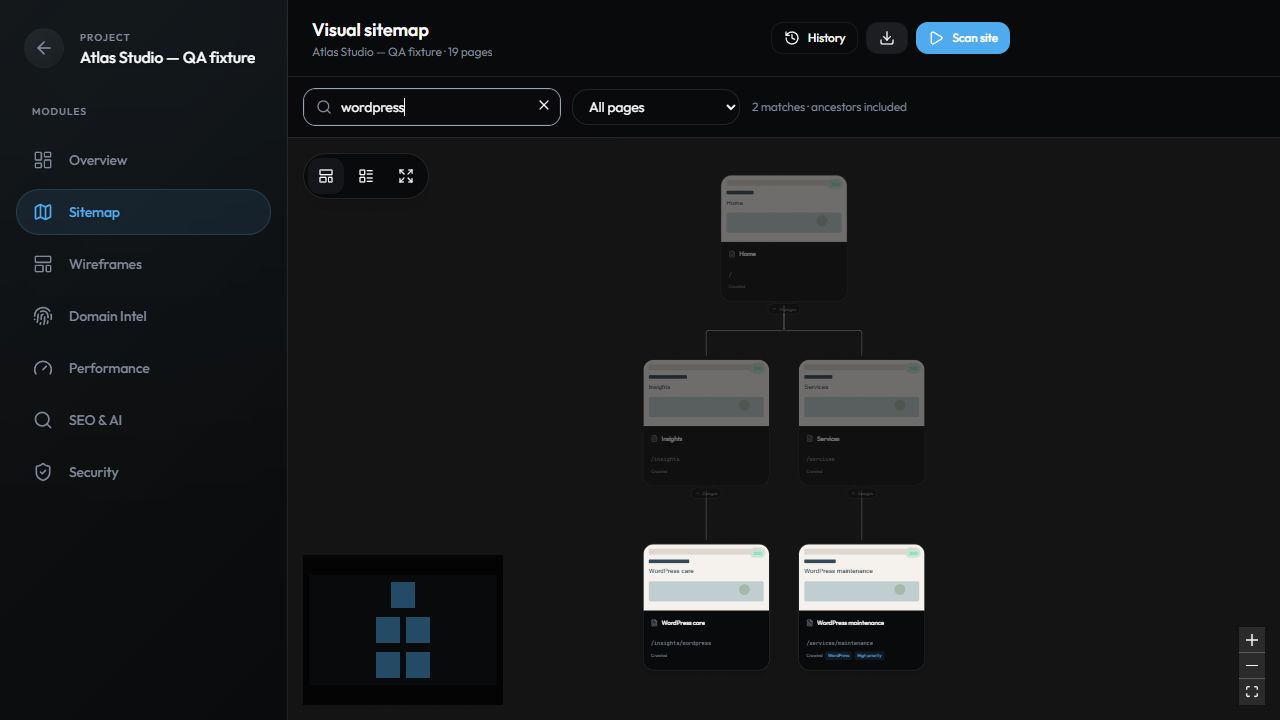
Explore visual previews, search paths and titles, and find the pages that need attention.
Take the guesswork out of audits, content reviews, and your next website redesign.
The visual sitemap
Go from a long list of URLs to a clear, connected view. Follow a branch, inspect a page, or zoom out to see how it all fits together.
A simpler way to start
Bring the website.
We’ll bring the bigger picture.
Create a project, add the website address, and choose the checks you want to run.
Discover pages and preview the site’s structure as your crawl brings the map together.
Explore the findings, export a client brief, or turn the sitemap into a redesign plan.
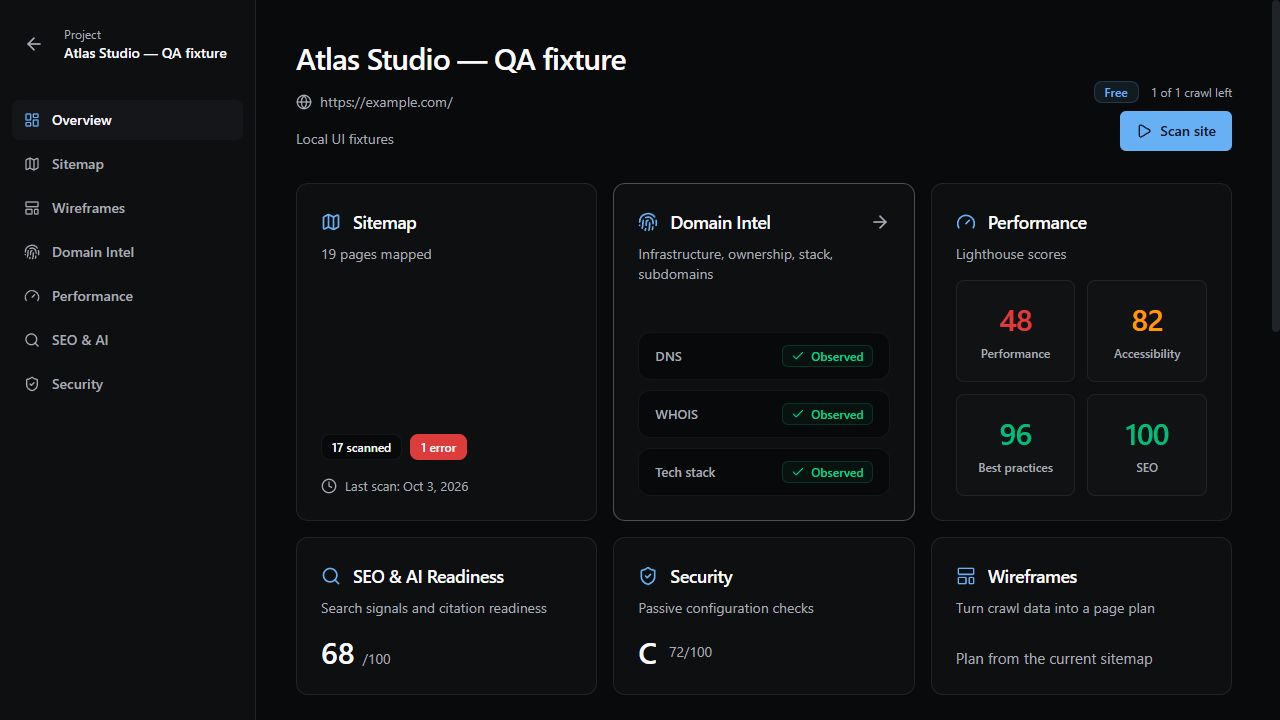
Actual IntelCrawl workspace · Demo data
Beyond the map
A sitemap tells you what’s there. Site intelligence helps you understand what to do with it.
A few good questions
The essentials, explained.
A visual sitemap shows a website’s pages and the relationships between them. IntelCrawl adds page previews to that structure, so you can see both how a site is organized and what its pages look like.
Add a public website URL to a project and start a scan. IntelCrawl discovers pages through site links and XML sitemaps, captures page previews when available, and organizes the results into an interactive map. The current scan supports up to 100 pages. Some websites may restrict crawling or preview capture.
Yes. Move page cards, switch between horizontal and vertical layouts, collapse branches, and edit page details and tags. You can also search titles, paths, and tags, or filter for pages with issues and archived pages.
Yes. Copy your sitemap into a separate planning wireframe, then add, reorder, and organize pages for your proposed structure. Your planning edits stay separate from the crawled sitemap.
Export your sitemap as a CSV for a content inventory, or generate a prioritized client brief in Markdown using the available site intelligence. Crawl snapshots also let you compare added, removed, and modified pages between scans.
Optional checks cover domain and DNS information, technology detection, Lighthouse performance, root-page SEO and AI readiness, and passive security configuration. Results include evidence and observation times where available, so you can understand what each finding is based on.
See the site. See the possibilities.
Get the lay of the land with IntelCrawl.
Explore IntelCrawl